 732.389.4800
Quiet Hotels for Remote Work That Fit Your Workday
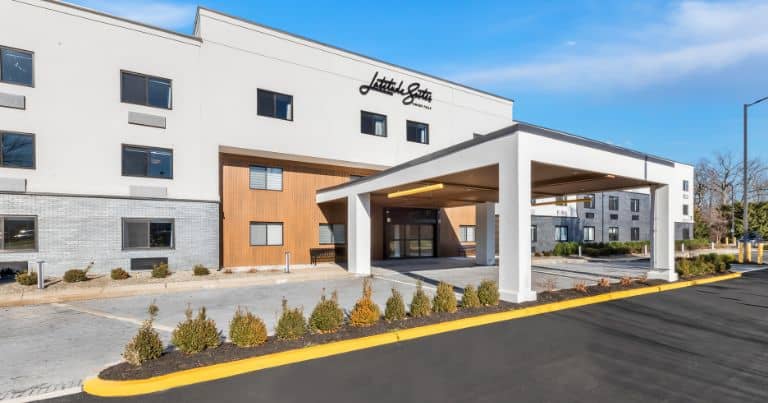
A hotel room can look ideal until your first call competes with corridor noise or your laptop barely fits on the desk. The details that matter most often sit outside the booking photos.
Quiet hotels for remote work should offer a room with limited noise, a usable desk and chair, internet suited to your tasks, and access that covers your working hours.
Check those details for the room you plan to book, especially if your day includes client calls or sensitive work.
Here is how to choose a hotel workspace, settle in comfortably, and plan a work trip to Latitude Suites in Tinton Falls.
Start With Five Checks Before You Book
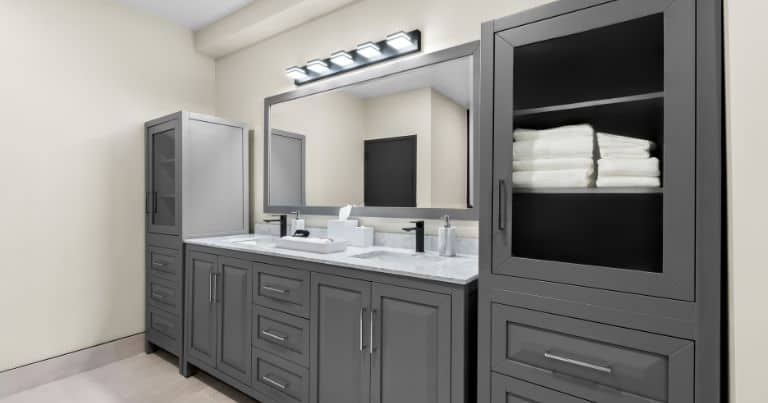
When comparing hotel rooms for remote work, picture your busiest working day. A morning interview, several video meetings, and an afternoon deadline create different needs from an hour of email.
Use these questions to make your requirements clear before reserving:
| What to check | What to ask the hotel |
|---|---|
| Room noise | Can I request a room away from elevators, service areas, and busy roads? Is any construction or event activity expected during my stay? |
| Internet | Is in-room Wi-Fi included, and can you share recent upload and download speed information? |
| Workspace | Does this room type have a desk and office chair? Are there photos showing the complete setup? |
| Access hours | When can I enter the room, and when must I leave? Are earlier or later access options confirmed or subject to availability? |
| Interruptions | How does housekeeping work, and can I request service around scheduled calls? |
A quiet-room request is useful, but it is still a request. If a particular condition is essential, ask whether the hotel can confirm it before you choose your rate.
Plan Your Perfect Getaway
Experience Comfort & Convenience at Latitude Suites
Latitude Suites offers the ideal blend of comfort and convenience, whether you're here for business or leisure. Our spacious rooms, premium amenities, and central location are all designed to make your stay exceptional. Secure your reservation today for an unforgettable stay.
Choose a Room With Fewer Distractions

Quiet hotel rooms depend on their surroundings as well as the building itself. Ask about rooms away from elevator doors, housekeeping areas, restaurants, and event spaces. Also ask which side of the property has less traffic noise.
An upper-floor or corner room may suit your needs, but the best choice depends on the layout. A room near rooftop equipment can introduce a different source of noise. Explain when you need quiet so the front desk can make a more informed recommendation.
Read recent reviews for repeated comments about hallway noise, nearby traffic, or air conditioning. A single review is one guest’s experience; several similar reports are more useful when deciding what to ask.
After arrival, listen with the air conditioning running and record a short microphone test. Your headphones may make the room sound quieter to you while your microphone still picks up background noise.
Check the Wi-Fi Before Your First Important Call
Hotel Wi-Fi for video calls needs adequate upload speed as well as download speed. A large download number alone does not tell you how your voice, camera, and screen sharing will perform.
For a useful reference, Zoom’s bandwidth guidance recommends 3.8 Mbps upload and 3.0 Mbps download for 1080p video calls. Other resolutions and meeting applications have different requirements.
Before booking, ask whether the hotel has recent connection information from guest rooms. Then test your own setup after arrival:
- Connect from the desk you plan to use.
- Run a speed test and check upload as well as download.
- Make a short call in your usual meeting app, including screen sharing if you need it.
- Test your phone hotspot as a backup, checking coverage, data allowances, and any extra charges.
If the connection struggles, ask about another room or an available wired connection. Ethernet may help with local wireless interference, but it still depends on the hotel’s internet service.
Match Your Booking to Your Working Hours
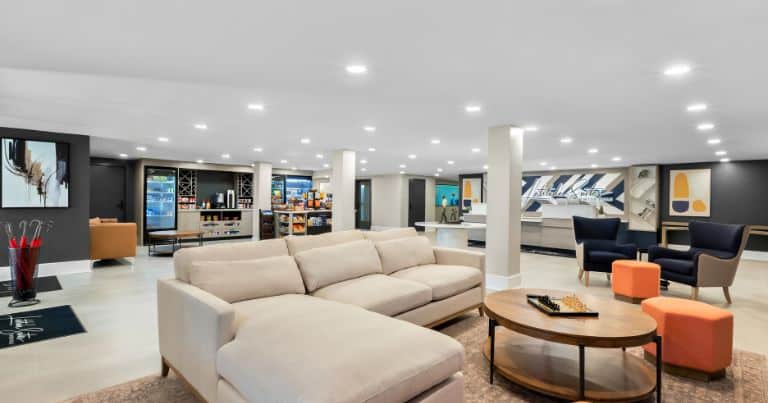
Room access deserves as much attention as the room itself. An overnight booking with afternoon check-in may leave you without a private workspace for a morning meeting. Checkout can create the same problem on your final day.
Day-use hotels for remote work offer rooms during specified daytime hours at participating properties. Hilton’s day-use terms confirm that booking hours and conditions depend on the hotel.
Compare the complete price, access window, included facilities, and cancellation terms. A pass for a pool or shared lounge may not include a private room. Likewise, early check-in is only useful for a fixed appointment if the hotel can confirm it.
For a workday that begins before standard check-in, discuss your schedule with the hotel before booking. Choose an arrangement that gives you confirmed access when you need it.
Set Up a Desk You Can Use Comfortably
A practical hotel room office setup starts with the furniture already in the room. Sit down, check your typing position, and find the outlets before unpacking everything.
Adjust the chair, where possible, so your shoulders stay relaxed and your keyboard sits around elbow height. Keep your wrists straight and your feet supported. Position the top of your screen at or slightly below eye level. These principles follow OSHA’s keyboard guidance and monitor guidance.
If you raise a laptop on a stand, pair it with an external keyboard and mouse so the screen and typing surface can sit at different heights. Keep the few items you use most within easy reach.
For calls, test the camera view and adjust the lighting so your face is visible. Keep charging cables out of walking routes, and take short breaks to stand up and change position.
Your packing list can stay simple: chargers, a headset with a microphone, a compact laptop stand, and an external keyboard and mouse if you expect long typing sessions.
Choose the Right Space for Each Task
Working from a hotel does not mean spending every hour at the same desk. Choose the space around the task and the access your booking provides.
| Workspace | Useful for | Check before using it |
|---|---|---|
| Private room | Video calls, focused writing, and work requiring visual privacy | Noise, desk setup, connection quality, and room access times |
| Hotel lobby | Email, reading, and short administrative tasks | Whether laptop use is permitted, seating availability, and changing noise levels |
| Shared business center | Printing or computer access, where provided | Available equipment, opening hours, and whether other guests can see or hear your work |
| Enclosed meeting room | In-person meetings or group discussions | Reservation requirements, charges, capacity, and privacy |
Keep confidential conversations out of shared areas. A business center may provide useful equipment without offering the privacy of an enclosed room. Check guest-room meeting permissions before inviting clients or colleagues over.
Keep Calls and Company Data Private
Close the door for sensitive calls, keep your screen out of view from the doorway, and lock your devices when you step away. Headphones help keep the other person’s audio private, but people nearby may still hear your side of the conversation.
For online work, follow your employer’s security policy and use its approved access tools, including a company VPN where required. Keep devices updated and use multifactor authentication.
The FTC explains how encrypted connections, including HTTPS, protect information sent over public Wi-Fi. Confirm the hotel’s network name with staff and take browser security warnings seriously.
Plan Your Work Trip to Latitude Suites

In our Studio Suite with one queen bed, a work desk gives you a place for your laptop, while a kitchen with full-size appliances lets you prepare lunch around your meetings. Office chairs are among our suite amenities, and selected layouts also include living areas.
Compare our suite options before booking your Tinton Falls stay, particularly if you need extra space for work equipment or are sharing the room with someone on a different schedule.
Our hotel amenities include complimentary Wi-Fi throughout the property and complimentary self-parking. If your work involves demanding uploads or frequent video calls, contact our team about your connection needs before reserving.
Plan your first and last working days around 4 p.m. check-in and 11 a.m. checkout. Early check-in and late checkout are subject to availability and fees, and room or floor requests cannot be guaranteed. Review our hotel policies when arranging your stay.
Plan Your Perfect Getaway
Experience Comfort & Convenience at Latitude Suites
Latitude Suites offers the ideal blend of comfort and convenience, whether you're here for business or leisure. Our spacious rooms, premium amenities, and central location are all designed to make your stay exceptional. Secure your reservation today for an unforgettable stay.
Frequently Asked Questions
Sometimes, but permission varies by hotel. Ask whether non-guests may use the seating and Wi-Fi, whether a purchase is expected, and whether calls are allowed. Have another option ready if the lobby becomes busy.
Ask about the hotel’s service schedule and explain when you need privacy. Use the room’s privacy sign or indicator where provided, while following hotel policies. Arrange any available cleaning window around your meetings.
Contact the front desk and explain the source of the noise and when you need quiet. Ask whether another available room may be more suitable. If a call cannot wait, ask about another permitted workspace while staff checks your options.
Book a Stay That Fits Your Schedule
The right choice among quiet hotels for remote work starts with the room, connection, and access hours your day requires. Once those details are clear, you can spend less of your trip improvising a place to work.
View our suites or contact us to discuss your workspace needs and plan your stay at Latitude Suites.


